Facing challenges, risks, and uncertainty is part of running a business. However, these challenges become unfair when their source of origination is fraudsters or others with malicious intent instead of market competition. To help businesses avoid such problems, center and state governments often rule out a set of rules to follow. Many times, even organizations also prepare their own code of conduct. These compliances and policies are built carefully to fulfill all gaps that may leave an opening in your business. To stay compliant with those policies and to timely identify and avoid risks, enterprises often follow an Enterprise Risk Management Software.
The Enterprise Risk Management (ERM) software is a digital solution built to analyze, assess, categorize, monitor and manage various types of risks in your business. These risks may arise internally or externally or simply may be an aftermath of a poorly made business decision or execution. Instead of creating spreadsheets to analyze each risk, the ERM software streamlines tracking and compliance in real-time.
In today’s fast changing environment, ERM software has become an essential tool to help you become resilience, improve governance, and protect your business from severe outcomes.
Key Capabilities and Features of an Enterprise Risk Management Software
Enterprise risk management software comes with an impressive set of capabilities and features to protect your business. Some of these features include:
1. Risk Identification and Capture
ERM software should use AI-based technology to identify risks and document them from different departments. This way, you can also create heat maps to figure out which departments face maximum disruptions. Proper risk register features also make it easier to track and address potential risks.
2. Risk Assessment and Scoring
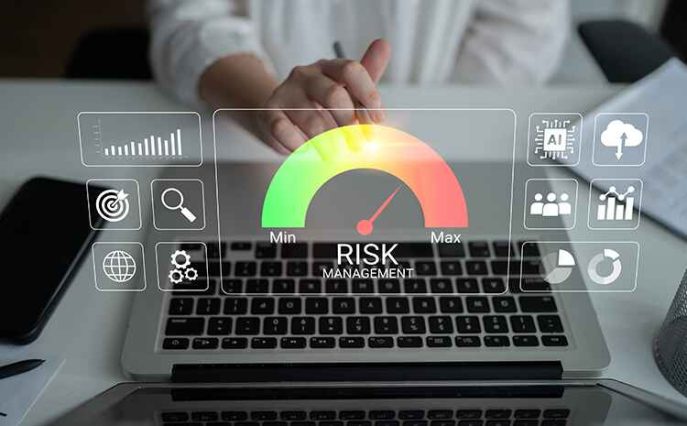
The impact of each risk can be different. Scoring them helps entrepreneurs prioritize them and plan a proper strategy for effective resolutions with the current available resources. The enterprise risk management software should be able to rank risks based on their likelihood and impact.
3. Risk Register Management
A risk register in an ERM software act as a central repository for all identified risks. It helps you maintain a complete record for compliance, see resolution, and save information for future references. You can even display these reports during internal audits to highlight how effectively the risks were management.
4. Risk Heat Maps and Dashboards
Data visualization is equally important as creating spreadsheets, as they help interpret the data better and save time. Your executive team can use built-in heatmaps and dashboard to review top risks, see expenses on those risks, and allocate resources accordingly.
5. Real-Time Risk Monitoring
Real-time risk monitoring makes an organization agile to cope with risks and mitigate concerns on time. For example, the system can alert you of a hacking attempt and other cyber risks, so that your IT team can form a blue team to protect the same. Likewise, the enterprise management software can also alert you of increasing load on the website so that you can update the server or place firewall to reduce the load.
6. Compliance Management
Compliance management is more important than you may think. Apart from helping you avoid legal penalties, these help provide a better experience for customers. ERM software also helps meet deadlines, maintain documentation, and stay prepared in case of any unprecedented audits. For the deadline part, the solution may send you automated reminders for compliance reviews and help meet the compliance.
8. Incident Management
Incident reporting is a part of continuous monitoring that helps organizations record, investigate, and resolve incidents related to cyberattacks, policy violations, and even workplace accidents. You can also identify recurring issues and their root causes. This feature also helps in building risk intelligence along with risk mitigation.
Types of Enterprise Risk Management Software Available in the Market
You may classify Enterprise Risk Management software into multiple categories. However, based on the hosting type and their budget, here are 3 categories to check out:
1. Custom Developed Software
Custom development or bespoke development includes building software from scratch. You first need to build a Software Requirements Specifications (SRS) sheet or get the help of a business analyst to develop the same. Once prepared, you can select a tech stack, development methodology, hosting server, and the development team. The team will develop your enterprise risk management software from scratch and charge accordingly.
Pros of Custom Developed Software
- Fully customizable
- You get complete control over the choice of tech stack and hosting
Cons of Custom Developed Software
- Costly and time consuming
- Not tried and tested for the market
2. SaaS Software
In a Software as a Service (SaaS), solution, the enterprise risk management software is already hosted on the servers of the software provider and available as a monthly subscription. This helps save the development time, and organizations can immediately deploy the software for operational risk management.
Pros of SaaS-based Enterprise Risk Management Software
- Easy to deploy and onboard
- Cost-effective
- Already tried and tested for the market
Cons of SaaS-based Enterprise Risk Management Software
- May not meet 100% of your requirements
- Come with never ending subscription costs
3. Self-Hosted Software
Instead of being hosted on the software provider’s servers, these servers are hosted on the organization’s own choice of servers, which can either be on-premises server or a third-party hosting service. Companies that want the lowest strategic risks and high security against cybercrime can opt for on-premises servers. However, these may come with additional server costs as well. For general corporate governance and risk reporting, you can rely on third-party risk management servers as well.
Pros of Self-Hosted Software
- Provide complete control over server
- Are more cost-effective than custom development
- Feature extension is possible with the help of third-party integrations
Cons of Self-Hosted Software
- Added costs of managing a hosting server
- May not meet 100% of your requirements
How Proactive Risk Management Supports Better Decision Making and Long-Term Success
1. Better Visibility Leads to Faster Decisions
When risks are tracked early, your team gets a clearer view of what may affect operations, budgets, or growth plans. An enterprise risk management software platform helps organize information in one place, which reduces time spent searching through reports or spreadsheets. You may notice issues sooner because teams record consistent risk descriptions and updates. This visibility also supports stronger discussions during planning cycles, especially when leaders need facts instead of assumptions before making decisions.
2. Risk Prioritization Improves Resource Allocation
Not every risk deserves the same response. Some issues need immediate action, while others fit within your organization's risk acceptance criteria. An enterprise risk management software solution helps rank risks based on impact and likelihood, making priorities easier to understand. Your team might focus resources on areas with the highest exposure instead of spreading effort too widely. Over time, this approach strengthens internal controls and helps maintain a healthier risk profile across departments.
3. Long-Term Planning Becomes More Reliable
Organizations often struggle with uncertainty when setting long-term goals. A structured process supported by enterprise risk management software gives decision-makers a clearer picture of trends and recurring threats. Data from key risk indicators may reveal patterns that are easy to miss during routine reviews. Some companies also use machine learning to identify changes in risk levels. This insight supports better planning, stronger audit readiness, and a more diligent approach to growth and operational stability.
4. Stronger Collaboration Across Teams
Risk management works better when teams share the same information. Enterprise risk management software gives departments a central place to track updates, assign tasks, and follow progress. You might spot connections between risks earlier, which helps prevent larger issues later. With clearer visibility across teams, leaders make decisions based on current information rather than separate reports.
Conclusion
Enterprise risk management software solutions are of various types and help you ensure your business remains protected. These solutions help address potential risks so that you can focus on actual business growth. With workflow automation, you can stay assured that the system will identify risks in real time, and audit trails will help assure transparency and accountability in the process. Furthermore, several solutions can help you build a proper governance, risk, and compliance (GRC) framework as well.
FAQs about Enterprise Risk Management Software
1. What is enterprise risk management software?
Enterprise risk management software is a system designed to identify, assess, track, and report organizational risks. It helps teams maintain records, monitor activities, and improve oversight. Many organizations use it to manage financial risk, compliance concerns, operational disruptions, and strategic challenges through a structured process.
2. Who uses enterprise risk management software?
Risk teams often lead implementation, but usage extends across departments. Compliance managers, executives, project leaders, and business continuity managers may rely on the same platform. Shared visibility helps different teams understand exposures and coordinate response efforts without depending on disconnected tools or manual tracking methods.
3. How does enterprise risk management software support compliance?
The software centralizes documentation, approvals, assessments, and reporting activities. This makes it easier to demonstrate accountability during reviews or audits. You might also find it easier to monitor policy requirements and maintain accurate records. Consistent reporting reduces gaps that often appear when information is managed through separate systems.
4. What features should you look for?
Useful features often include risk assessment of workflows, reporting dashboards, risk registers, automated notifications, and monitoring tools. Some platforms provide customizable scoring models and advanced analytics. Your selection should match operational needs, reporting requirements, and the level of visibility required by leadership teams and stakeholders.
5. Can enterprise risk management software improve business resilience?
Many organizations use enterprise risk management software to strengthen preparedness and response efforts. Better tracking and reporting help teams identify potential disruptions earlier. This supports faster action when conditions change. As a result, organizations may improve business continuity planning and maintain more consistent performance during periods of uncertainty. They can ensure governance with features like audit management, risk scoring, risk appetite, centralized risk register, and more.